RehearsalEase
Script rehearsal
A little space to practice talking to a screen.
Paste a script, set a target time and read it aloud. RehearsalEase follows along sentence by sentence as you speak, then shows how your timing compared with your target. Made for anyone who is mic-shy and wants to get used to talking to a screen.
Needs desktop Chrome with on-device English speech recognition and a microphone.
How it works
Prepare
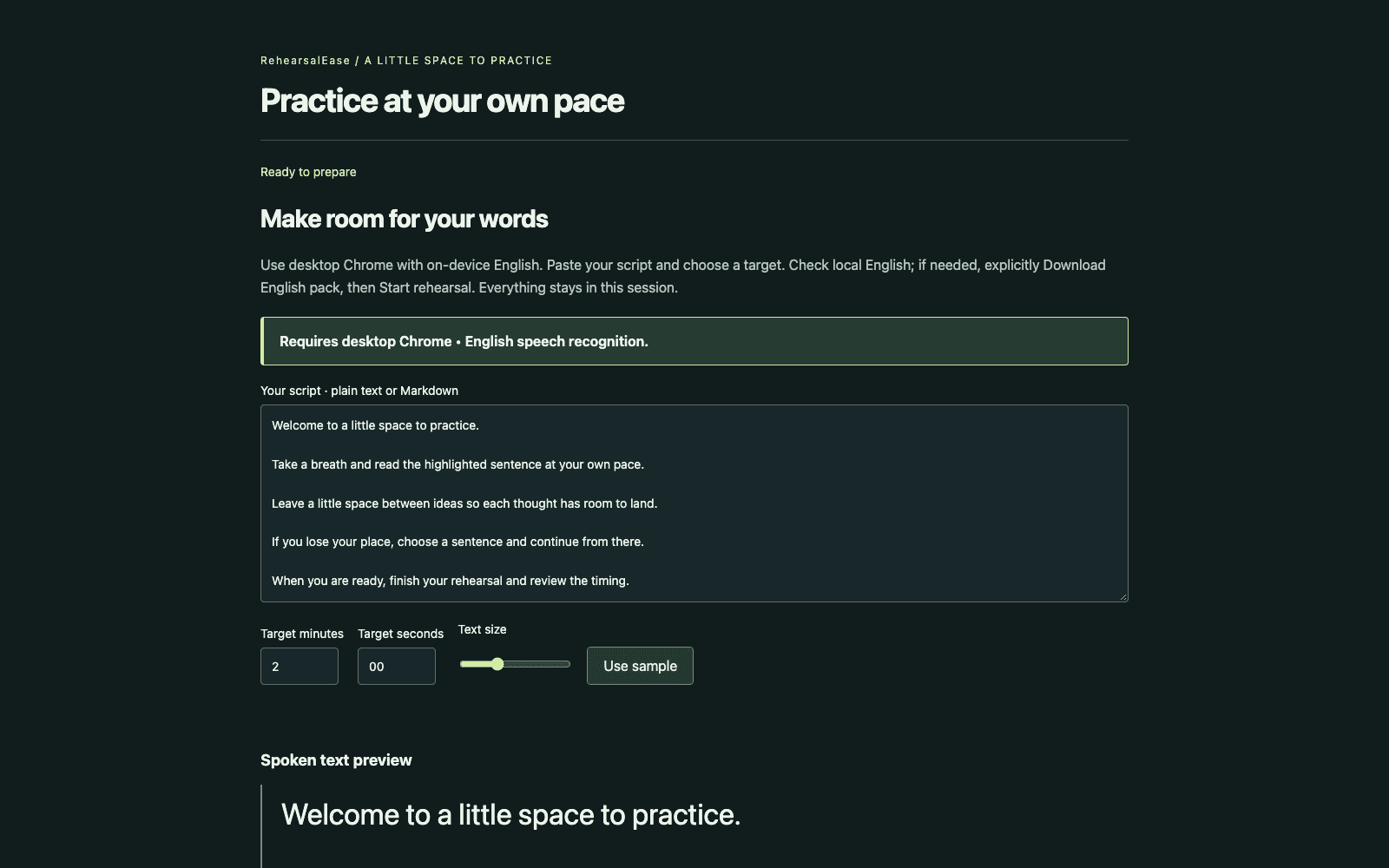
Paste a script in plain text or Markdown and choose a target time (two minutes by default). Check that Chrome's on-device English is ready, then start when you are.
Rehearse
Read aloud at your own pace. The current sentence follows your voice; if you lose your place, click a sentence and carry on from there. Adjust the text size to suit your screen.
Review
See your actual time against the target, your approximate pace, and the quiet stretches between ideas when they could be measured.
Your voice stays on your machine
Speech recognition runs on your device, in Chrome. Your script, the recognized text and your settings stay in memory for the session only: no recordings, no uploads, no cloud recognition, and nothing saved.
The microphone starts only when you press Start rehearsal, and Finish or Stop releases it. If Chrome needs its English language pack, you download it yourself first; that step never turns on the microphone.
Requires desktop Chrome with on-device English speech recognition; support varies by device. Pace and quiet detection are approximate. Source on GitHub.